
Lenovo
Procurement help877-327-6106
Lenovo ThinkBook 14 2-in-1 G6 IPL — 22AR000NUS
- Manufacturer
- Lenovo
- Manufacturer part number
- 22AR000NUS
- BPC product number
- BP-LENOVO-fcc7396cdcb0dd5d2941cb0c


Tech overview
Intel Core Ultra 5 325, 8C (4P + 4LPE) / 8T, Max Turbo up to 4.5GHz, 12MB Intel Smart Cache · 16 GB RAM · 512 GB SSD
- Processor
- Intel Core Ultra 5 325, 8C (4P + 4LPE) / 8T, Max Turbo up to 4.5GHz, 12MB Intel Smart Cache
- Memory
- 16 GB
- Internal Storage
- 512 GB
- Storage type
- SSD
- Operating system
- Windows 11 Pro
- Display
- 14" WUXGA (1920x1200) IPS 400nits Glossy, 45% NTSC, 60Hz, Glass, Touch
Overview
Built for the work ahead.
Product details
- Intel Core Ultra 5 325, 8C (4P + 4LPE) / 8T, Max Turbo up to 4.5GHz, 12MB Intel Smart Cache
- 16 GB RAM
- 512 GB SSD
- Windows 11 Pro
Configuration: Intel Core Ultra 5 325, 8C (4P + 4LPE) / 8T, Max Turbo up to 4.5GHz, 12MB Intel Smart Cache | 16 GB RAM | 512 GB SSD | Windows 11 Pro
Technical details
Product specifications
Specifications describe the listed configuration. We verify the exact manufacturer part number in your written quote.
Manufacturer
Lenovo
Manufacturer part number
22AR000NUS
BPC product number
BP-LENOVO-fcc7396cdcb0dd5d2941cb0c
Processor
Intel Core Ultra 5 325, 8C (4P + 4LPE) / 8T, Max Turbo up to 4.5GHz, 12MB Intel Smart Cache
Memory
16 GB
Memory configuration
1x 16GB SODIMM DDR5-5600
Internal Storage
512 GB
Storage type
SSD
Operating system
Windows 11 Pro
AI PC Category
Copilot+ PC
NPU
Up to 47 TOPS
Graphics
Integrated Intel Graphics
Chipset
Intel SoC Platform
Memory Slots
Two DDR5 SODIMM slots, dual-channel capable
Max Memory
Up to 32GB DDR5-5600 offering
Storage
512GB SSD M.2 2242 PCIe 4.0x4 NVMe
Storage Slot
Two M.2 slots • One M.2 2242 PCIe 4.0 x4 slot • One M.2 2280 PCIe 4.0 x4 slot
Max Storage Support
One drive, up to 1TB M.2 2242 SSD
Card Reader
microSD Card Reader
Audio Chip
High Definition (HD) Audio, Realtek ALC3287 codec
Speakers
Stereo speakers, 2W x2, Dolby Audio
Microphone
2x, Array
Camera
FHD 1080p + IR Hybrid with Privacy Shutter
Battery
60Wh
Power Adapter
65W USB-C Slim (2-pin, Wall-mount)
Display
14" WUXGA (1920x1200) IPS 400nits Glossy, 45% NTSC, 60Hz, Glass, Touch
Touchscreen
OGS, 10-point Multi-touch
Screen-to-Body Ratio
90.2%
Pen
Lenovo Pen Gen 2
Keyboard
Backlit, English
Touchpad
Buttonless Mylar surface multi-touch touchpad, supports Precision TouchPad (PTP), 75 x 120 mm (2.95 x 4.72 inches)
Dimensions (WxDxH)
311.6 x 224.9 x 16.9-17.4 mm (12.27 x 8.85 x 0.67-0.69 inches)
Weight
Starting at 1.54 kg (3.39 lbs)
Case Color
Luna Grey
Case Material
Aluminium (Top), Aluminium (Bottom)
Surface Treatment
Anodizing Sandblasting
Bundled Software
Office Trial
WLAN + Bluetooth
Wi-Fi 7, 802.11be 2x2 + BT5.4
WWAN
WWAN Not Supported
Ethernet
No Onboard Ethernet
Standard Ports
1x USB-A (USB 5Gbps), Always On; 1x USB-A (USB 5Gbps); 2x USB-C (USB 5Gbps), with USB PD 45-65W and DisplayPort 1.2; 1x HDMI 1.4b; 1x Headphone / microphone combo jack (3.5mm); 1x microSD card reader
Docking
Various docking solutions supported via USB-C. For more compatible docking solutions, please visit Docking for ThinkBook 14 2-in-1 G6 IPL
Security Chip
Discrete TPM 2.0 Enabled
Fingerprint Reader
No Fingerprint Reader
Other Security
Camera privacy shutter; IR camera for Windows Hello (facial recognition)
Base Warranty
1-year, Courier or Carry-in
Included Upgrade
None
Bundled Accessories
None
Green Certifications
ENERGY STAR 9.0; EPEAT 1.0 Gold Registered; ErP Lot 6/26; RoHS compliant; TCO Certified, generation 10
Mil-Spec Test
MIL-STD-810H military test passed
Other Certifications
TÜV Rheinland Low Blue Light (Software Solution)
Machine Type
22AR
TopSeller
TopSeller
EAN / UPC / JAN
199274936518
End of Support
2032-11-02
Announce Date
2026-04-02
Operating system details
Windows 11 Pro, English (US) / English (UK)
Condition
New
Exact configuration
Intel Core Ultra 5 325, 8C (4P + 4LPE) / 8T, Max Turbo up to 4.5GHz, 12MB Intel Smart Cache | 16 GB RAM | 512 GB SSD | Windows 11 Pro
Beyond the box
Services that help the technology land well.
Configuration planning
Validate compatibility, accessories, warranty and standards before the quote is finalized.
Add requirements →Deployment support
Ask about imaging, staging, asset tagging, installation and multi-site rollout coordination.
Explore services →Financial services
Coordinate qualified financing options through Ascentium Capital or Lenovo Financial Services.
Review financing →Related products
-
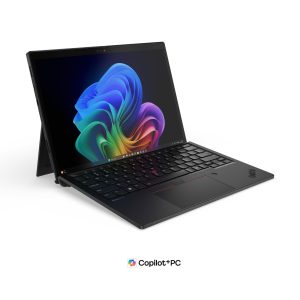
Lenovo ThinkPad X13 Detachable Gen 1 — 21U60004US
Request a quote Read more -
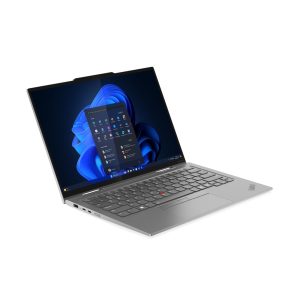
Lenovo ThinkPad X1 2-in-1 Gen 10 Aura Edition — 21NU0035US
Request a quote Read more -
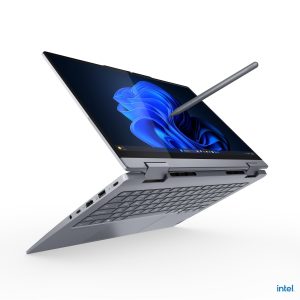
Lenovo ThinkBook 14 2-in-1 G5 IAU — 21SQ0001US
Request a quote Read more -
Lenovo ThinkPad X13 Detachable Gen 1 — 21U60001US
Request a quote Read more